

Stop hunting through messy project bins. Organize, preview, and deploy your presets with a blazingly fast, zero-friction panel built by editors, for editors.

Smart-Trim Technology
Presets instantly adapt to match the exact duration of your selected clips on the timeline. No manual adjusting required.
Auto-Track Targeting
Drag and drop anywhere. PresetsFlow automatically finds an empty video track to prevent overwriting your main footage.
One-Click Nest Import
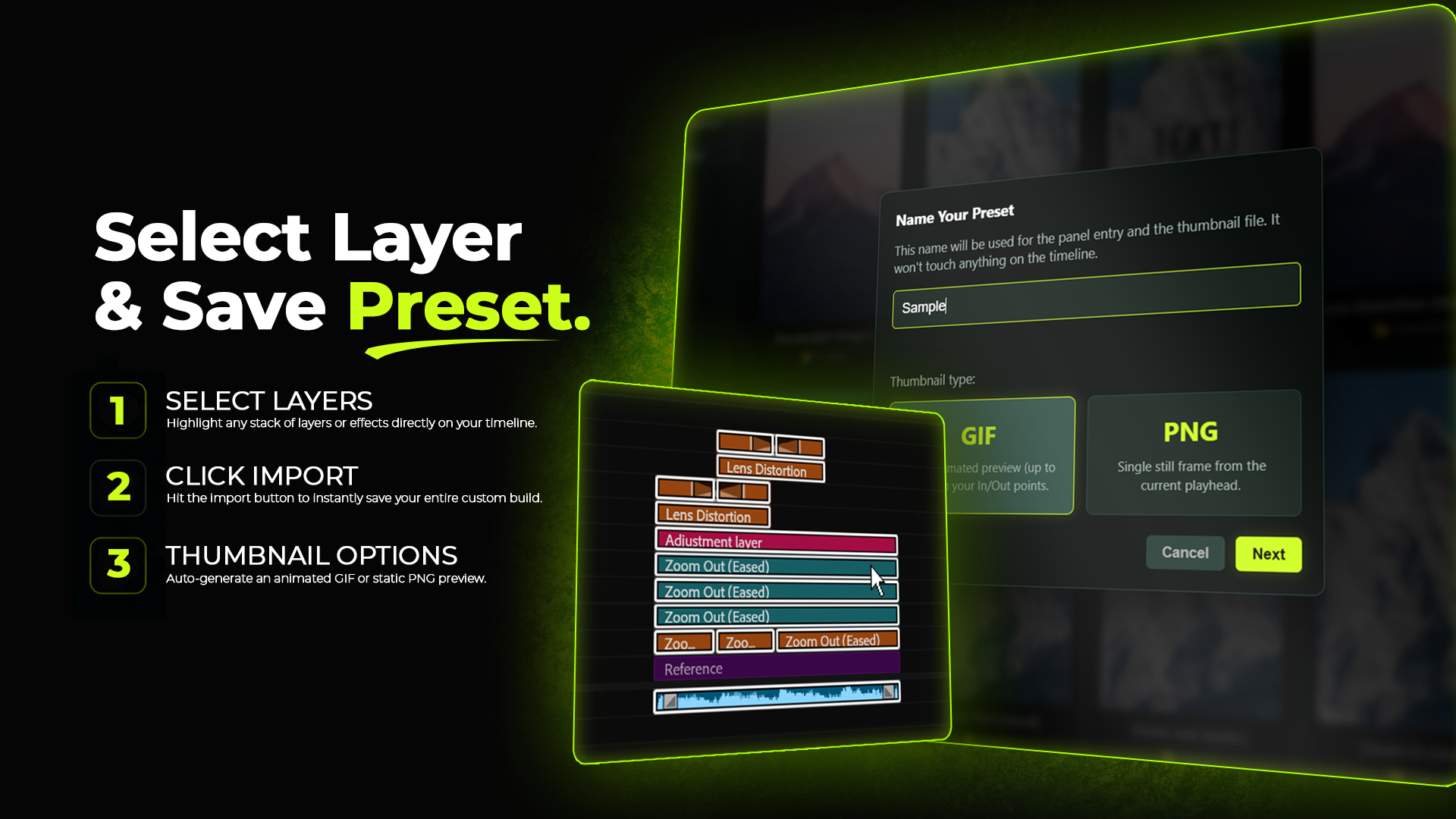
Built something cool? Highlight your nest, hit Import, and save it to your library forever with an auto-generated visual thumbnail.
Seamless Organization
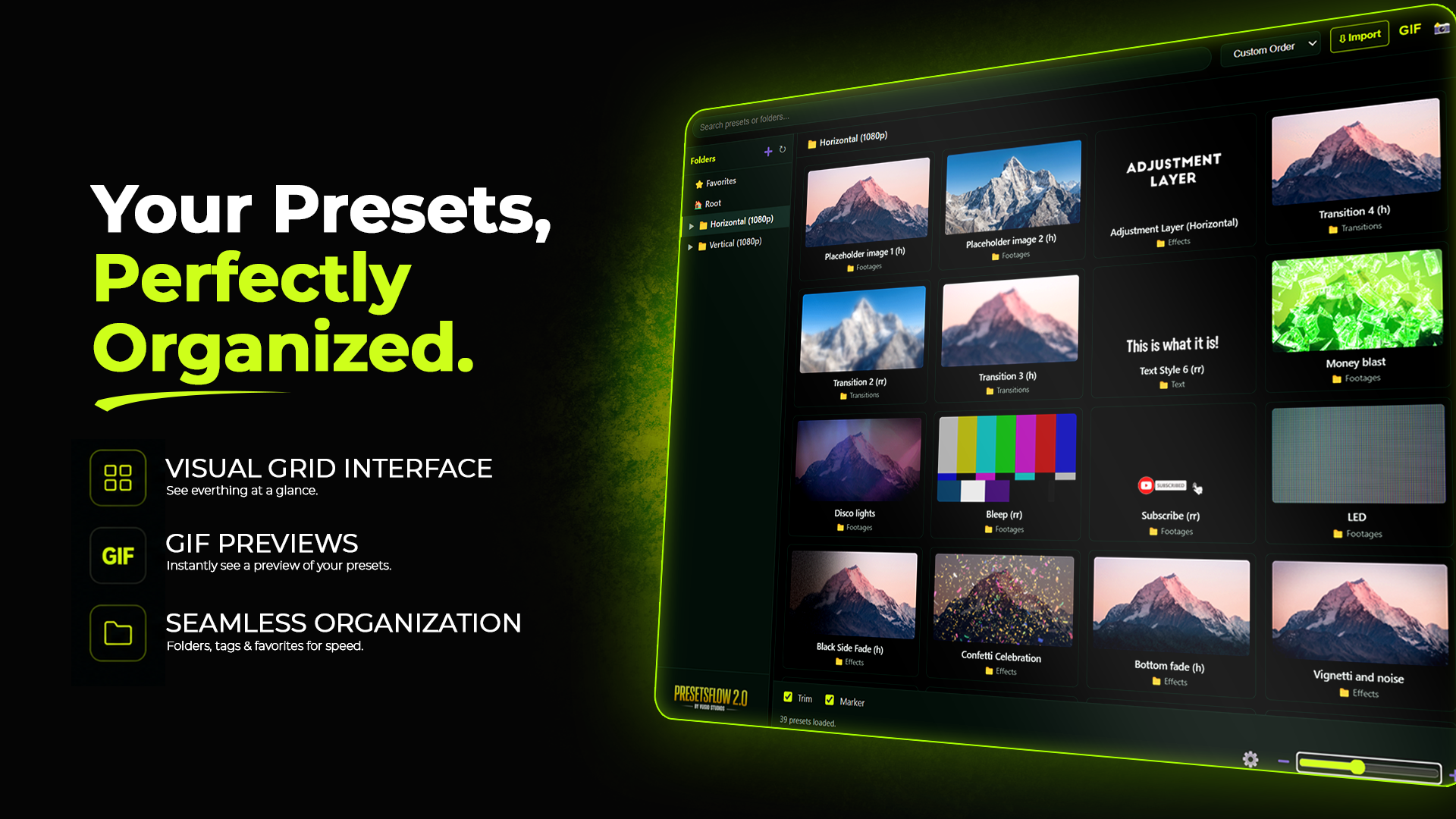
Create unlimited custom folders, assign unique emojis, and organize your assets precisely how you want them.
Smart-Trim Technology
Presets instantly adapt to match the exact duration of your selected clips on the timeline. No manual adjusting required.
Auto-Track Targeting
Drag and drop anywhere. PresetsFlow automatically finds an empty video track to prevent overwriting your main footage.
One-Click Nest Import
Built something cool? Highlight your nest, hit Import, and save it to your library forever with an auto-generated visual thumbnail.
Seamless Organization
Create unlimited custom folders, assign unique emojis, and organize your assets precisely how you want them.
Installation & Usage Guide
Watch this quick tutorial to learn how to install the panel and optimize your Premiere Pro workflow.
Release Notes
- Initial global release of PresetsFlow 2.0.
- Introduced Smart-Trim and Auto-Track Targeting logic.
- Added one-click GIF thumbnail generator inside the panel.
- Full compatibility verified for Adobe Premiere Pro (Mac & Windows).